Building software is a lot like building a house. Even if every individual part works perfectly, the entire structure still needs to be checked before people can safely use it.
System testing is an important stage of software testing where the complete application is tested as a single, integrated system. Instead of checking individual components separately, testers evaluate whether the entire system works according to the specified requirements.
From login pages and payment systems to databases, APIs, and user interfaces, system testing checks how different parts of an application work together. It helps identify issues that may not be visible during unit or integration testing.
What Is System Testing?
System testing is the process of testing a fully integrated software application to verify that it meets its functional and non-functional requirements. At this stage, testers look at the application from an end-user perspective. They don’t just ask whether individual features work; they ask whether the entire application delivers the expected experience.
User creates an account.
User logs in.
User searches for a product.
User adds the product to the cart.
User enters delivery details.
User makes a payment.
Order confirmation is generated.
Why Is System Testing Important?
System testing plays a major role in improving software quality. A feature may work correctly when tested individually but behave differently when connected with other components.
Find defects before software reaches users
Verify that requirements have been met
Test complete business workflows
Identify problems between integrated components
Improve software reliability
Validate the overall user experience
Reduce the risk of production failures
Types of System Testing
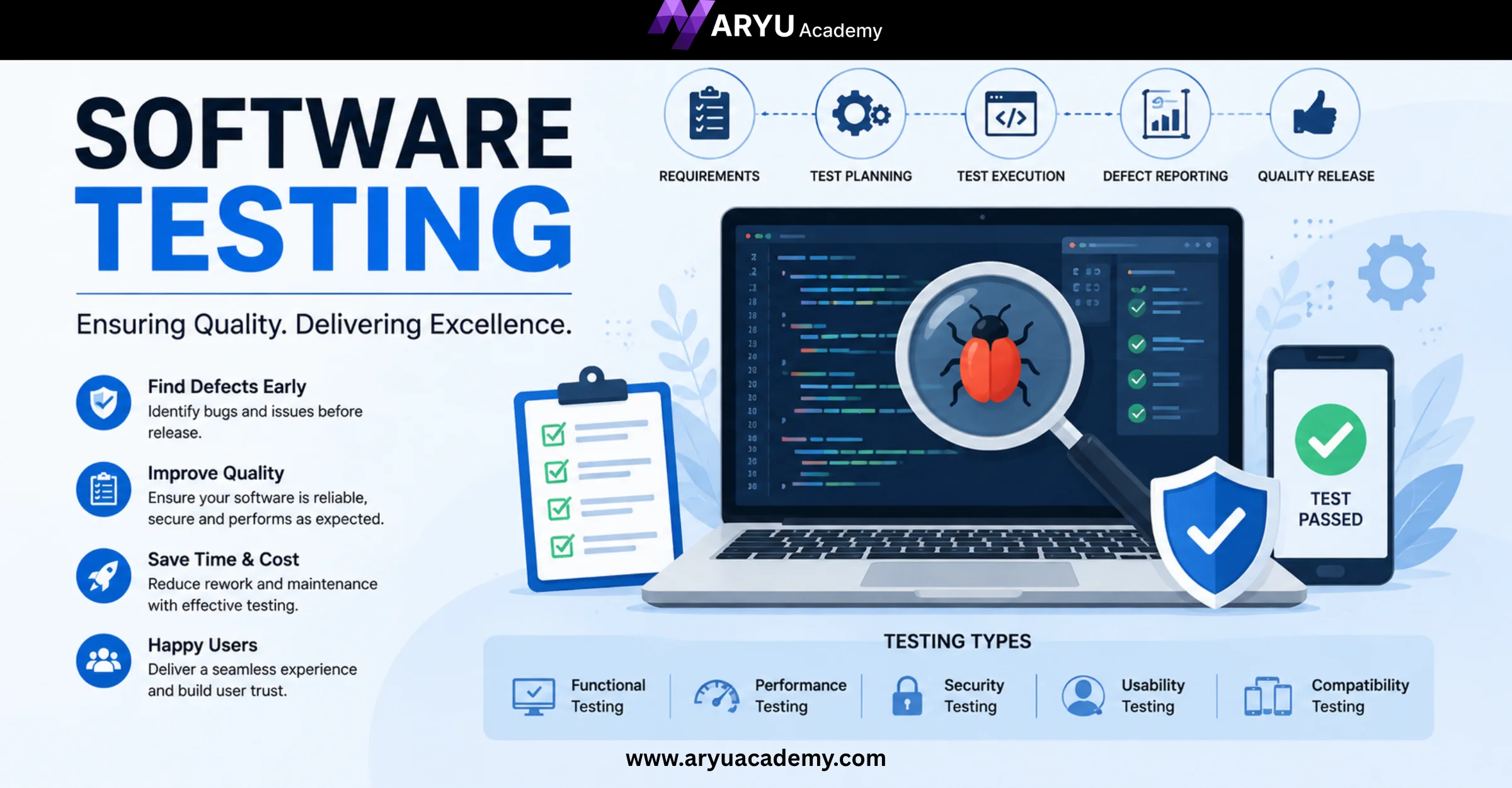
System testing isn’t limited to checking whether buttons and features work. Different types of testing can be performed depending on the application’s requirements.
Functional Testing
Functional system testing verifies whether the software performs the functions it was designed to perform. For example, testers may check whether users can register, log in, search, place orders, make payments, and generate reports correctly.
Response time
System speed
Resource usage
Stability
Behavior under heavy traffic
Security Testing
Security testing checks whether the application protects data and prevents unauthorized access. Testers may evaluate authentication, authorization, session management, input validation, and other security-related areas.
Usability Testing
Usability testing focuses on how easy the application is for users to understand and navigate. A technically functional application can still fail if users find it confusing or difficult to use.
Compatibility Testing
Compatibility testing verifies whether the software works correctly across different browsers, operating systems, devices, screen sizes, and environments. This is especially important for modern web and mobile applications.
System Testing Process
1. Understand the Requirements
Testers first review the functional and non-functional requirements to understand what the system is expected to do.
2. Create a Test Plan
The team determines the testing scope, resources, environment, schedule, tools, and responsibilities.
3. Prepare Test Cases
Test cases are created to cover important features, workflows, and possible user scenarios.
4. Set Up the Test Environment
The application is deployed in an environment that closely resembles the real production environment.
5. Execute the Tests
Testers run the planned test cases and record the results.
6. Report and Track Defects
If problems are found, testers document them clearly and send them to developers for investigation and correction.
7. Retest and Perform Regression Testing
After defects are fixed, testers verify the fixes and check whether the changes have introduced new problems.
8. Prepare the Test Report
The final results are documented so stakeholders can make an informed decision about the software release.
System Testing vs Integration Testing
System testing and integration testing are related, but they have different goals.
Integration testing focuses mainly on whether individual modules or components work correctly when connected. For example, in an e-commerce application, integration testing might verify that the shopping cart communicates correctly with the payment service. System testing would go further by testing the complete shopping journey from login to successful order confirmation.
Real-World Example of System Testing
Log into the banking application
View the account balance
Transfer money
Receive a transaction confirmation
Check the updated balance
Download the transaction statement
Test Different Environments
Where applicable, test across different devices, browsers, operating systems, and network conditions.
Automate Repetitive Tests
Automation can reduce manual effort for repetitive regression and functional tests, allowing testers to spend more time on exploratory testing and complex scenarios.
Document Defects Clearly
A good defect report should explain what happened, how to reproduce it, the expected result, and the actual result.
Conclusion
System testing is a crucial part of the software testing lifecycle because it evaluates the application as a complete system rather than focusing only on individual components. By testing complete workflows, performance, security, usability, compatibility, and other important aspects, testers can identify defects before they affect