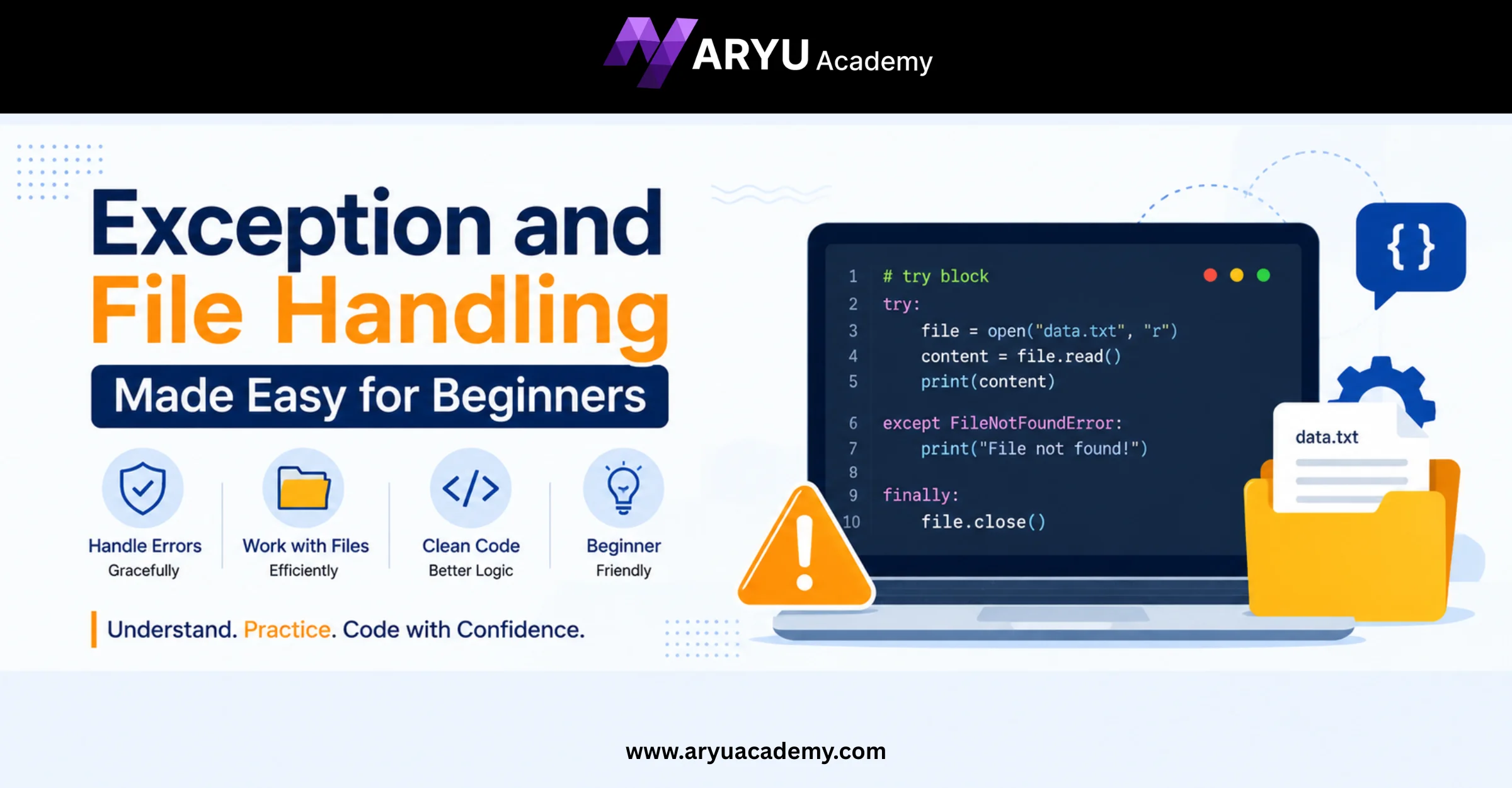
Exception and File Handling Made Easy for Beginners
Writing a program that works perfectly every time is nearly impossible. Users may enter invalid data, files might not exist, or unexpected issues can cause a program to crash. This is where exception and file handling become essential. They help developers create applications that can gracefully manage errors and continue running instead of stopping unexpectedly.
For beginners, exception and file handling may seem like advanced topics, but they are fundamental programming concepts that every developer should learn early. Whether you’re building a simple calculator, a data processing application, or a web application, understanding how to handle exceptions and work with files will make your code more reliable and professional.
In this guide, you’ll learn what exception and file handling are, why they’re important, and the best practices for using them in your programming projects.
What Is Exception Handling?
An exception is an unexpected event or error that occurs while a program is running. Instead of allowing the application to crash, exception handling enables the program to detect the error and respond appropriately.
For example, imagine a program that asks a user to enter a number. If the user accidentally enters text instead of a number, the program would normally stop with an error. With exception handling, the program can display a helpful message and ask the user to try again.
Common situations where exceptions occur include:
- Dividing a number by zero
- Opening a file that doesn’t exist
- Invalid user input
- Accessing unavailable resources
- Network connection failures
- Database connection errors
Benefits of Exception Handling
- Prevents unexpected program crashes
- Improves application reliability
- Provides meaningful error messages
- Makes debugging easier
- Helps maintain data integrity
- Creates a better user experience
Understanding File Handling
File handling allows a program to create, read, update, and delete files stored on a computer. Since many applications need to save or retrieve information, file handling is one of the most frequently used programming concepts.
For example, file handling is used when:
- Saving student records
- Reading configuration files
- Writing application logs
- Processing CSV or text files
- Generating reports
- Storing user information
Without file handling, programs would lose all data once they stop running.
Common File Operations
Most programming languages support basic file operations such as:
- Creating new files
- Opening existing files
- Reading file contents
- Writing data to files
- Appending new information
- Closing files after use
Properly managing these operations ensures data is stored safely and efficiently.
Why Exception Handling Is Important in File Operations
File operations are one of the most common sources of runtime errors. Files may be missing, corrupted, locked by another application, or inaccessible due to permission issues.
Without exception handling, these problems can cause your program to terminate unexpectedly.
Some common file-related errors include:
- File not found
- Permission denied
- Invalid file path
- Unsupported file format
- Disk storage limitations
- Unexpected end of file
Using exception handling with file operations allows your application to respond gracefully by informing the user about the problem instead of displaying confusing error messages.
For example, if a file cannot be found, the program can notify the user and request the correct file path rather than crashing.
Best Practices for Exception and File Handling
Writing reliable programs involves more than simply catching errors. Following good programming practices makes your applications easier to maintain and improves overall performance.
Handle Specific Exceptions
Instead of catching every possible error, identify and handle only the exceptions you expect. This makes debugging easier and prevents hidden issues.
Display User-Friendly Messages
Avoid showing technical error details directly to users. Instead, provide simple messages that explain what went wrong and how to fix it.
Always Close Files
Leaving files open unnecessarily can consume system resources and even cause data corruption. Modern programming languages often provide automatic resource management features that simplify this process.
Validate User Input
Many exceptions can be avoided by checking user input before processing it. Validating data reduces the chances of runtime errors.
Keep Error Logs
Recording errors in log files helps developers diagnose problems without affecting the user experience.
Test Different Error Scenarios
Good developers don’t just test successful outcomes—they also test what happens when something goes wrong. This helps identify weaknesses before software reaches users.
Conclusion
Exception and file handling are essential skills for every programmer, regardless of the programming language they use. They help create applications that are stable, user-friendly, and capable of handling unexpected situations without crashing.
As you continue your programming journey, practice using exception handling alongside file operations in your projects. Over time, you’ll gain confidence in building applications that not only work correctly under normal conditions but also respond gracefully when something goes wrong.
Mastering these concepts is an important step toward becoming a skilled software developer and writing professional-quality code.
Frequently Asked Questions (FAQs)
1. What is exception handling in programming?
Exception handling is a technique used to detect and manage runtime errors so that a program can continue running instead of terminating unexpectedly.
2. What is file handling?
File handling refers to the process of creating, opening, reading, writing, updating, and deleting files within a program to store and retrieve data.
3. Why is exception handling important during file operations?
File operations can fail due to missing files, incorrect paths, permission issues, or corrupted data. Exception handling allows programs to manage these situations safely without crashing.
4. What are the advantages of exception and file handling?
Some key benefits include:
- Improved program reliability
- Better user experience
- Easier debugging
- Safe data management
- Reduced application crashes
- Cleaner and more maintainable code
5. Where are exception and file handling used in real-world applications?
They are widely used in banking systems, e-commerce platforms, healthcare software, educational applications, inventory management, payroll systems, data processing tools, and virtually every modern software application that stores or processes data.