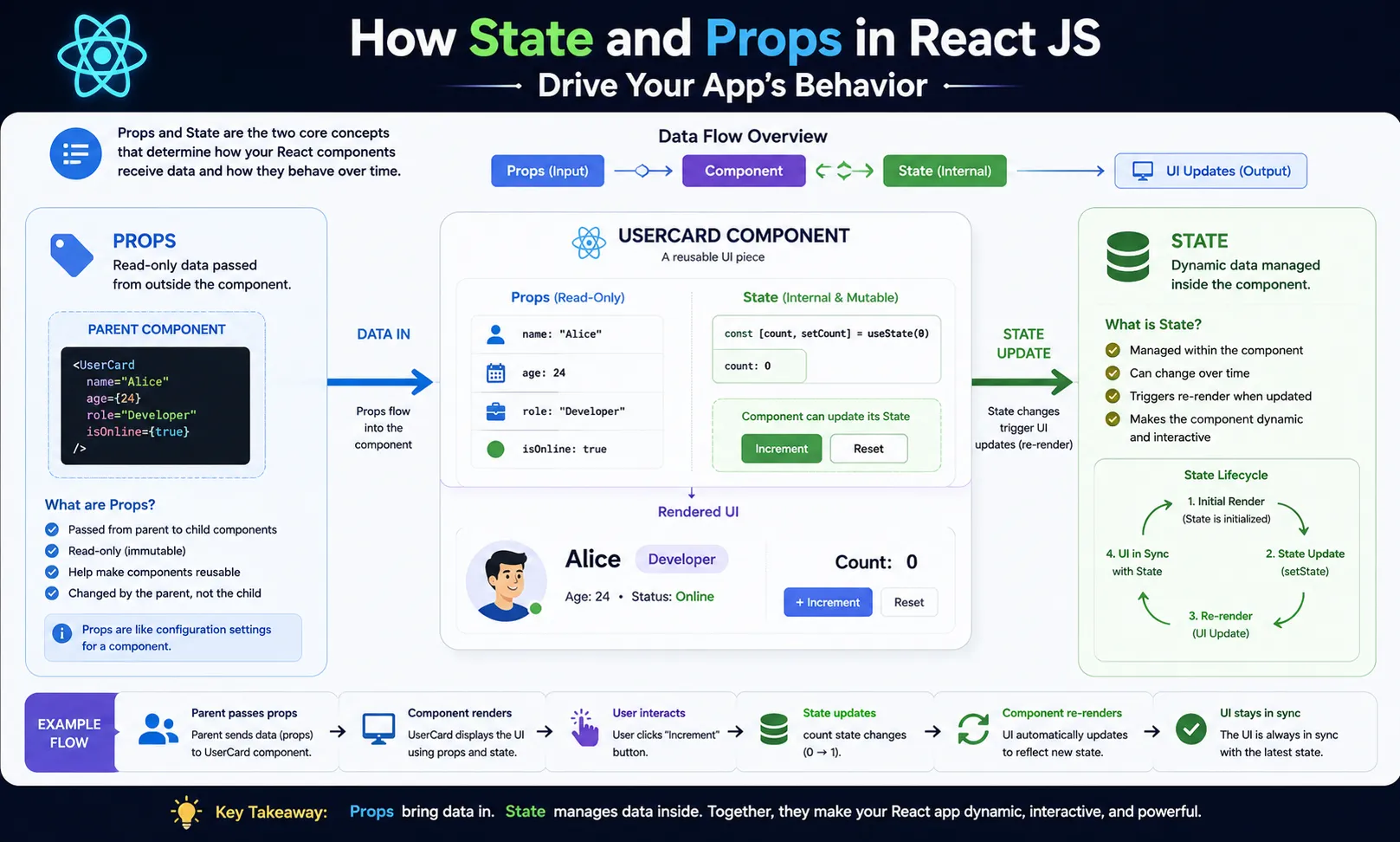
In React JS, State and Props are two core concepts that control how your application behaves and responds. Whether you’re building a simple to-do app or a complex dashboard, understanding these two will help you build smarter, more dynamic interfaces.
Let’s break it down in a beginner-friendly way, with simple words and real examples.
What Are Props in React?
Props (short for properties) are used to send data from one component to another.
Imagine a parent telling a child something. In React, that’s exactly what props do. The parent component passes information to the child component using props.
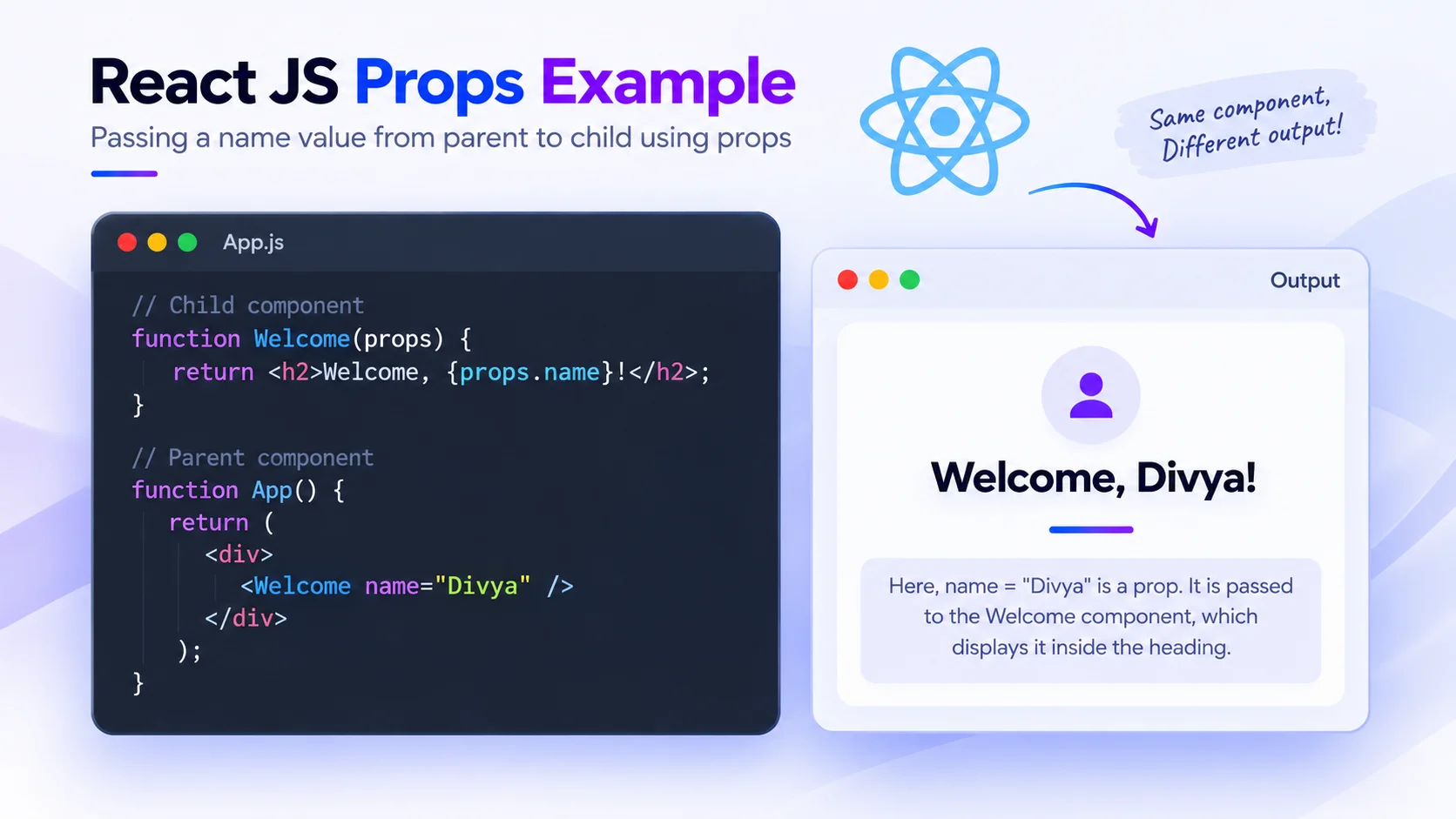
Props Example:
jsx
Output:
Welcome, Divya!
Here, name=”Divya” is a prop. It is passed to the Welcome component, which displays it inside the heading. This is useful when you want to use one component to show different data.
Key Features of Props:
- Passed from parent to child.
- Read-only, you cannot change props inside the child component.
- Helps in reusing components with different data.
What Is State in React?
The State is like a component’s personal memory. It stores information that can change over time, such us user inputs, clicks, or toggles.
When the state changes, the component automatically re-renders to reflect the change.
State Example:
jsx

What Happens Here?
- The user sees: You clicked 0 times.
- When the button is clicked, the count becomes 1 → 2 → 3… etc.
- The component updates automatically because the state has changed.
Key Features of State:
- Local to the component — not shared like props.
- Can be changed with user actions or other logic.
- When the state changes, UI updates automatically.
How Props and State Work Together
Let’s say you’re building a shopping cart:
- The cart items are stored in the state (in the parent).
- The list of items is passed to a child component via props to display them.
- If the user removes an item, the state updates and the UI reflects the change.
This teamwork between props and state is what makes React so powerful.
Comparison Table
| Feature | Props | State |
Owned by | Parent component | Same component |
Usage | Send data to child component | Handle dynamic or changing data |
| Editable? | No (read-only) | Yes (can be changed) |
| Purpose | Pass values | Control behavior & interactivity |
Final Words
Understanding State and Props in React is the first step toward building smart, interactive apps.
- Use props to pass data and content between components.
- Use state to manage and respond to changes like clicks or form inputs.
Once you get this concept clearly, you’ll start writing more organized and flexible code in React!
Want to learn React deeper? Join Aryu Academy’s React JS course and build practical experience.