
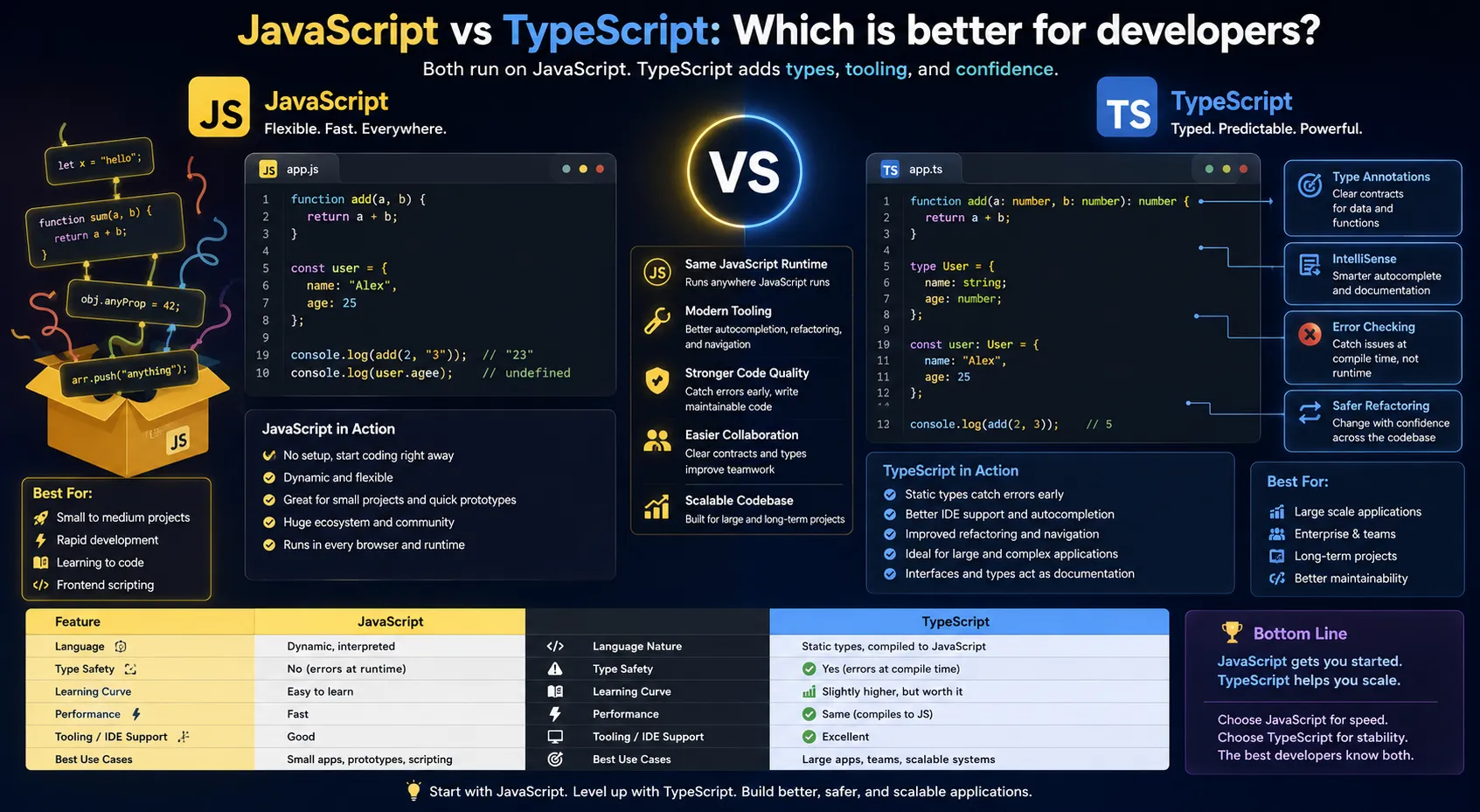
Across the modern web, JavaScript and TypeScript are the tools every developer talks about. One offers speed and simplicity, while the other brings structure and safety. But which one truly fits your project? Understanding their differences, strengths, and real-world applications can help you make the right choice and take your coding to the next level.
What is JavaScript?
JavaScript, or JS, is a versatile programming language that brings websites to life. It runs directly in web browsers and on servers through Node.js, making it essential for creating interactive web applications. JavaScript is renowned for its flexibility, simplicity, and the vast ecosystem of libraries and frameworks that enable faster and easier development.
Key Features of JavaScript
- Dynamic Typing: Variables in JavaScript can hold any type of data without needing explicit declarations, making coding more flexible.
- Loosely Structured: Developers can write code quickly without much boilerplate, which speeds up development.
- Browser Native: JavaScript runs directly in all modern browsers without any extra setup.
- Huge Ecosystem: A vast range of libraries and frameworks like React, Angular, Vue, and Node.js make building applications easier and more efficient.
Pros of TypeScript
- JavaScript is quick to learn and easy to use, making it ideal for beginners.
- It has a massive community and strong support, so help is always available.
- It works everywhere, running both in browsers and on servers.
- It allows fast prototyping, letting developers turn ideas into working applications quickly
Cons of JavaScript
- JavaScript is prone to runtime errors because of its dynamic typing.
- Large codebases can become difficult to maintain over time.
- It does not provide native type safety, which can lead to unexpected bugs.
What is TypeScript?
TypeScript, or TS, is a programming language developed by Microsoft that builds on JavaScript. It introduces static typing, which helps developers catch errors while writing code instead of discovering them at runtime. TypeScript code is compiled into standard JavaScript before it runs, so it works anywhere JavaScript does, making it a powerful tool for building scalable and reliable applications.
Key Features of TypeScript
- Static Typing: Variables and functions have explicit types, helping catch errors early.
- Advanced Tooling: TypeScript offers enhanced IntelliSense, autocompletion, and refactoring support for smoother development.
- Modern Features: It supports ES6+ syntax and other modern JavaScript features.
- Optional Typing: You can gradually convert existing JavaScript code to TypeScript, making migration flexible and manageable.
- TypeScript helps catch errors early, reducing bugs in your code.
- It makes large codebases easier to maintain.
- Code readability and collaboration improve with its structured approach.
- It supports modern JavaScript features, keeping your projects up to date.
Cons of TypeScript
- TypeScript requires a compilation step before running the code.
- Beginners may face a slightly steeper learning curve.
- Prototyping is slower compared to plain JavaScript.
JavaScript vs TypeScript: Side-by-Side Comparison
| Feature | JavaScript | TypeScript |
| Typing | Dynamic | Static (optional) |
| Error Detection | Runtime | Compile-time |
| Learning Curve | Easy | Moderate |
| Tooling Support | Basic | Advanced (IntelliSense, Refactoring) |
| Code Maintenance | Moderate | Excellent for large projects |
| Community & Libraries | Huge | Growing, compatible with JS libraries |
| Performance | Fast (no compilation) | Slightly slower (compile step) |
Which One Should You Choose?
Choose JavaScript if
- You are a beginner or just starting to learn web development.
- You need to quickly prototype apps or ideas.
- The project is small or has a short life cycle.
- You prefer minimal setup and want to avoid compilation steps.
Choose TypeScript if
- You are working on large-scale projects or enterprise applications.
- You want to reduce runtime errors and improve code maintainability.
- You work in a team where code clarity and consistent standards are important.
- You need modern tooling and enhanced IDE support for efficient development.
Real-World Use Cases
- JavaScript: Ideal for small websites, interactive UI components, quick prototypes, and Node.js scripts. Its flexibility and ease of use make it perfect for projects that need fast development.
- TypeScript: Best suited for enterprise web applications like Angular, React, or Vue projects, backend Node.js services, and large collaborative projects. Its type safety and structured approach help maintain code quality in complex applications.
Final Thoughts
JavaScript is ideal for quick, flexible, and beginner-friendly projects, while TypeScript excels in delivering structure, safety, and scalability for larger or more complex applications. For most developers, learning both gives you the versatility to tackle projects of any size or scope with confidence.
At Aryu Academy, we offer comprehensive courses that teach you both JavaScript and TypeScript, helping you build a strong foundation and advance to building robust, enterprise-level applications.