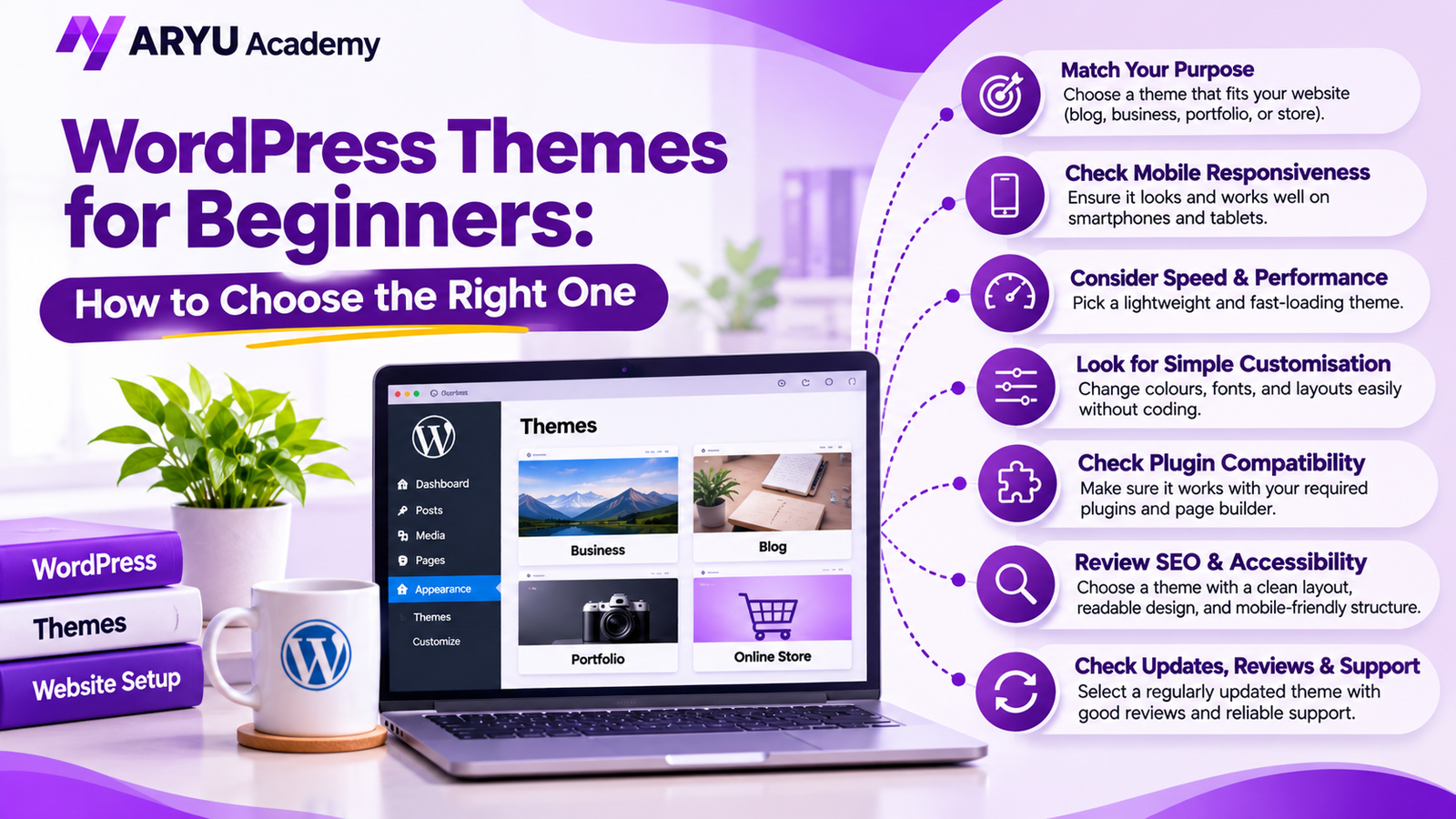
Choosing a WordPress theme is an important early decision. It shapes your site’s appearance, navigation, and how easily you can manage its design. With thousands of options available, choosing one can feel overwhelming when you are new to WordPress.
You do not need coding or design experience to make a good choice. When comparing WordPress themes for beginners, focus on your website’s needs rather than an attractive demo. This guide explains what to check before installing a theme.
What Is a WordPress Theme?
A WordPress theme controls the overall appearance and layout of your website. It influences page layouts, colours, typography, headers, footers, and navigation.
For example, a business website may need service sections and contact details, while a blog needs an easy-to-read article layout. A theme gives you a starting design that you can customise.
Themes mainly control visual presentation, while plugins add functions such as contact forms, SEO tools, online payments, and security features.
Why Does the Right Theme Matter?
Your design creates a first impression. Cluttered pages or confusing navigation make information harder to find, while a clean layout helps visitors explore your website.
A theme can influence mobile usability, accessibility, and performance, but hosting, images, plugins, and content matter too.
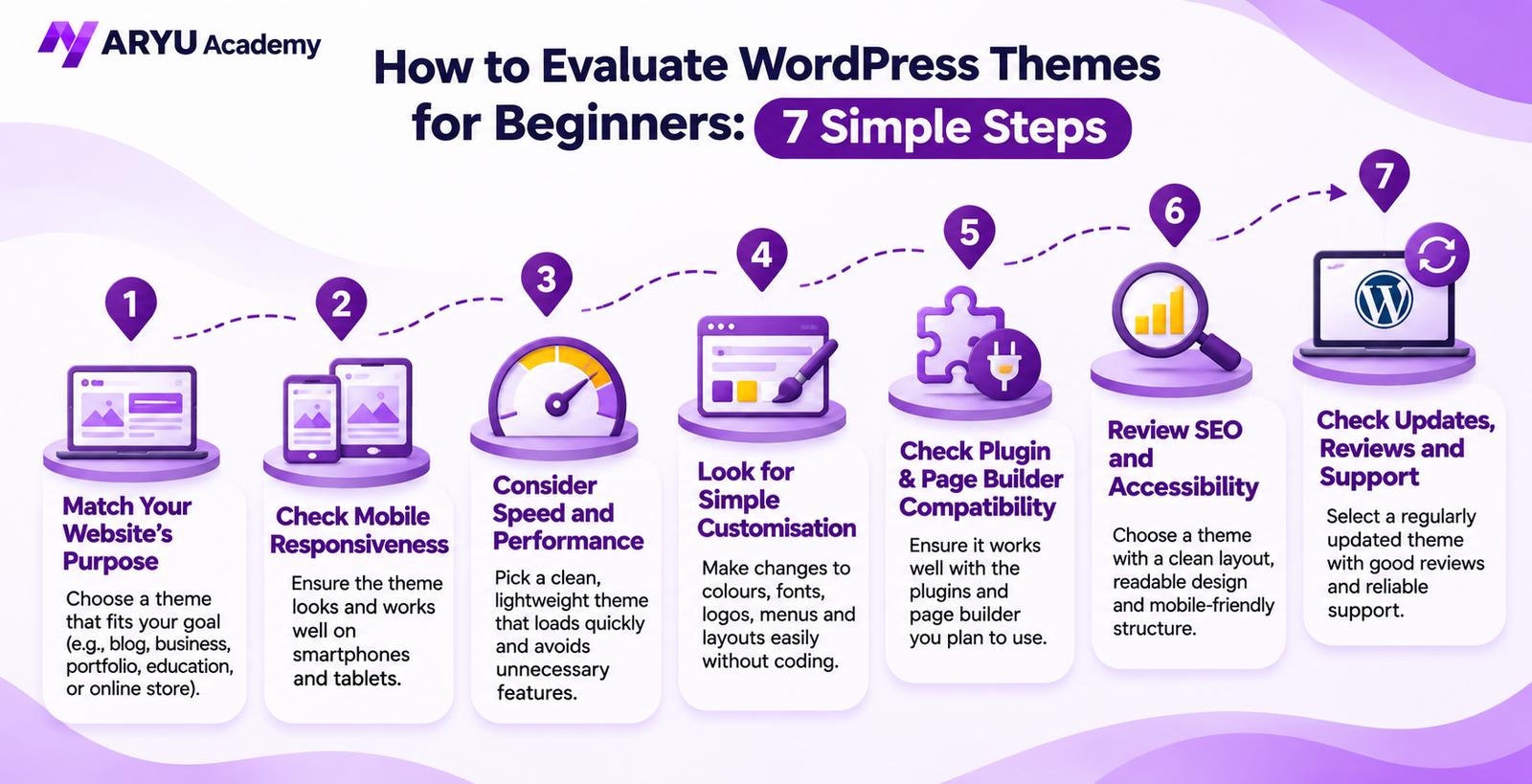
How to Evaluate WordPress Themes for Beginners
1. Match the Theme to Your Website’s Purpose
Start by identifying your website’s purpose. Are you creating a personal blog, business website, portfolio, educational website, or online store? Each type has different layout requirements.
Choose a theme that supports the pages and content you plan to publish. Many WordPress themes for beginners include starter layouts for blogs, portfolios, and business sites, which can make setup easier. A portfolio may need project galleries, while an online store needs product layouts and a clear shopping experience. Avoid choosing a theme only because its demo looks attractive. A simple design that fits your goals is often more useful than one packed with features you will never use.
2. Check Mobile Responsiveness
Many people browse on smartphones and tablets. A responsive theme adjusts its layout so text, images, menus, and buttons remain easy to use.
Preview the theme on desktop and mobile. When comparing WordPress themes for beginners, check the mobile preview rather than assuming every design will adapt well. Check text readability, menus, images, and buttons instead of relying only on the theme description.
3. Consider Speed and Performance
A visually attractive website can still frustrate visitors if pages load slowly. Large animations, unnecessary scripts, and complex elements may affect loading time.
Choose a clean structure with only the features you need. Test the demo with Google PageSpeed Insights, remembering that hosting, images, plugins, and caching also affect your site’s results.
4. Look for Simple Customisation
You should be able to change colours, fonts, logos, menus, headers, and page settings without editing code. Check the theme’s WordPress Customizer or Site Editor options.
Check compatibility with your preferred editor or page builder. Clear settings and documentation make setup easier.
5. Check Plugin and Page Builder Compatibility
Plugins add functions such as SEO, contact forms, security, bookings, and e-commerce.
Check compatibility with the plugins and page builder you plan to use. Read documentation and recent reviews, and avoid unnecessary plugin requirements.
6. Review SEO and Accessibility Basics
A theme cannot guarantee higher Google rankings, but a well-built one can support SEO with a clear layout, sensible headings, readable content, and mobile-friendly design. Check text readability, color contrast, and keyboard navigation. You still need helpful content, descriptive titles, image alt text, and correct SEO settings.
7. Check Updates, Reviews, and Support
Choose a theme maintained by its developer. Updates can fix bugs, improve compatibility, and address security issues. Check its update date, recent reviews, documentation, and support. Recent feedback can reveal issues that an overall rating may hide.
Are Free WordPress Themes for Beginners a Good Choice?
Free themes are a practical starting point for personal blogs, small business websites, and WordPress learners. Browse options in the official WordPress theme directory at no cost. If you are testing WordPress themes for beginners, start with a free option and assess its features before upgrading.
Premium themes may offer extra layouts, customisation, or support, but paid does not automatically mean better. Compare features with your needs before spending money.
Download themes from trusted sources. Nulled or pirated copies may contain malicious code and lack reliable updates or support.
How to Install and Set Up a WordPress Theme
After shortlisting a theme, follow these steps:
- Define your requirements: List the pages and features your website needs.
- Compare options: Review design, mobile responsiveness, performance, updates, and support.
- Preview the theme: Check its demo on desktop and mobile and imagine your own content in the layout.
- Install it: In your WordPress dashboard, go to Appearance → Themes → Add New Theme. Search for the theme and select Install.
- Activate and customise: Add your logo, set colours and fonts, organise navigation, and replace demo content.
- Test the website: Review important pages, forms, menus, and mobile layouts before sharing the site.
If you are changing the theme on an existing website, create a backup first. Some theme-specific settings or layouts may need to be configured again.
Common Mistakes to Avoid
Do not judge a theme only by demo images. The demo may use premium photos, extra plugins, or custom settings that are not included. Check what is actually provided.
Avoid overlapping themes and plugins. Too many tools complicate management, so start with what you need and keep your active theme updated.
Build Your WordPress Skills with Aryu Academy
Selecting a theme is only one part of building a website. You also need to organise pages, manage plugins, publish content, and maintain website performance.
Want to learn more about WordPress website development? Explore the WordPress Development Course at Aryu Academy to develop practical skills and gain confidence in building and managing WordPress websites.
Take the next step in your WordPress learning journey with Aryu Academy!
Frequently Asked Questions
Which theme should a beginner choose?
Choose one that fits your website’s purpose, works on mobile, loads efficiently, is easy to customise, and receives regular updates.
Can I change my WordPress theme later?
Yes. Your new theme may display content differently, and some settings may not carry over. Back up your website and test important pages after switching.
Do I need coding skills to customise a theme?
No. Many themes let you change colours, fonts, layouts, and menus visually. HTML or CSS is useful for advanced changes but is not essential.
What makes Aryu Academy a good place to learn software skills?
Aryu Academy focuses on practical software training, hands-on projects, and skill development to help learners build industry-relevant knowledge. Explore the available courses at Aryu Academy to find a learning programme that matches your career goals.
Conclusion
Choosing the right WordPress theme is an important step in building a professional and user-friendly website. By considering factors such as website purpose, mobile responsiveness, loading speed, customisation options, and SEO compatibility, you can select a theme that meets your website’s needs.
Developing your WordPress knowledge and understanding website management can help you build better websites with confidence. If you are interested in improving your technical skills and exploring practical learning opportunities, visit Aryu Academy and take the next step in your learning journey.